Markdown
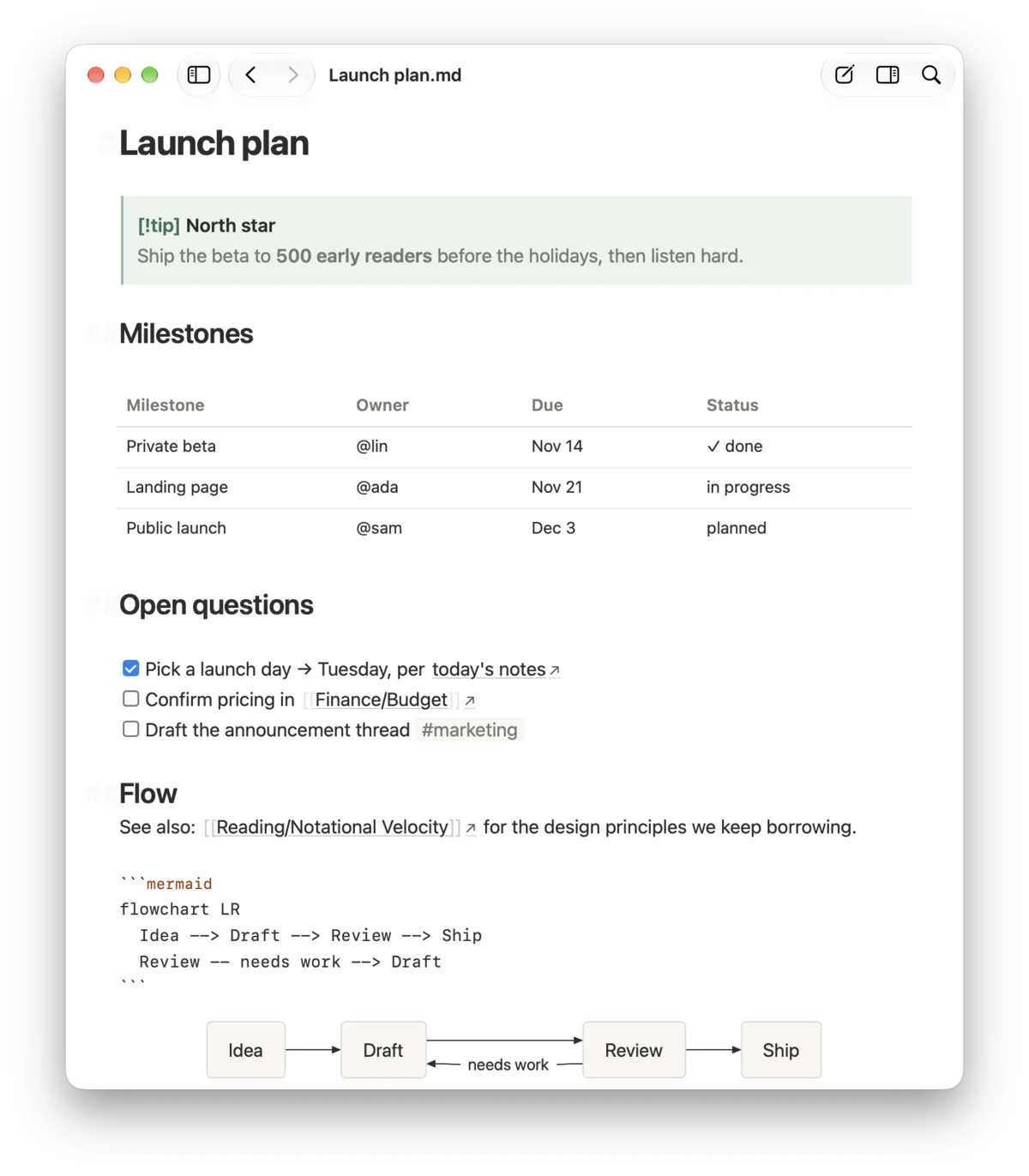
Callouts, editable tables, footnotes, LaTeX, Mermaid diagrams, frontmatter shown as properties, highlights, tags and @mentions.
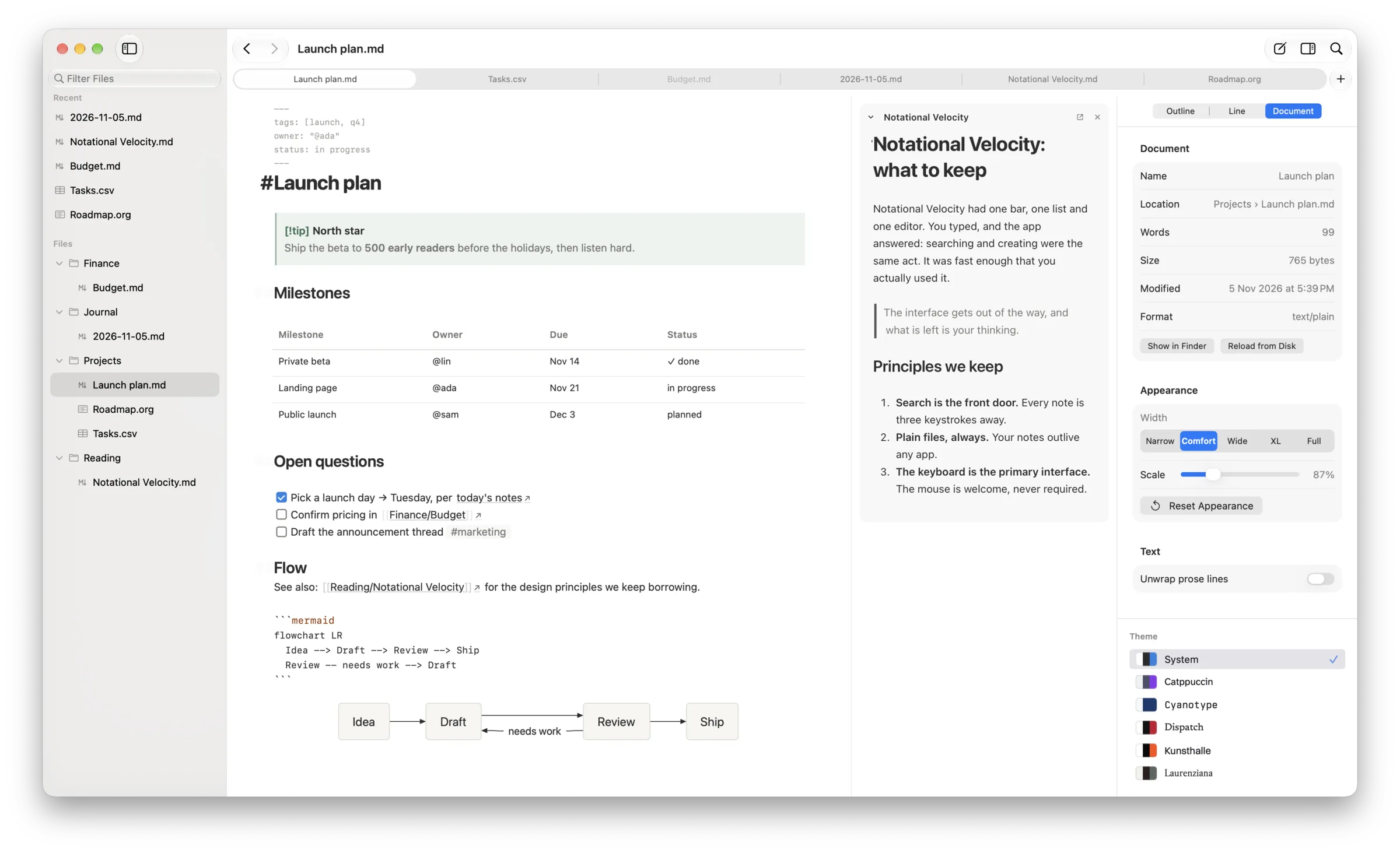
In Notational Velocity, one search box found notes and created them. nvModern keeps that box and adds actions. You pick a note with ⌘K, press Tab to see what you can do with it, and choose. The palette on this page is a working miniature. Press ⌘K anywhere on this page to jump to it.
Recent
Try it: type laun, press Tab, choose Refile to… and pick a folder.
nvModern includes an MCP server. Claude Code, Codex and other MCP clients can see the note you have open and what you selected, search your workspace, open and create notes, and write in the margin beside the passages they are discussing. Connect Claude Code with one command while nvModern is running.
claude mcp add nvmodern -- /Applications/nvModern.app/Contents/MacOS/nv3 mcp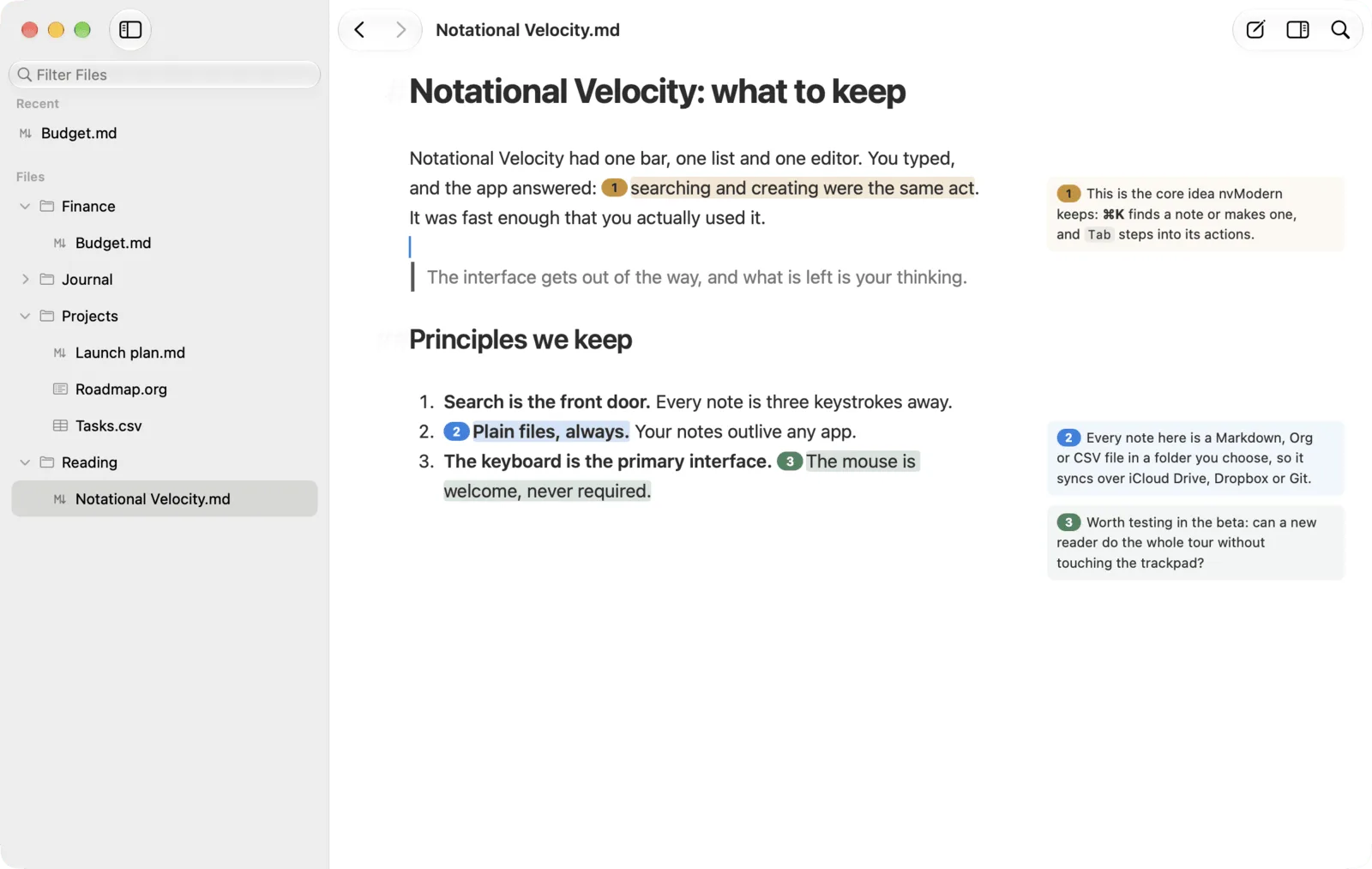
“Read the PDF I have open and mark the three weakest claims.”
Your agent highlights each passage and writes its explanation in the margin.
“Answer the questions I left in this draft.”
You leave a question by selecting text and pressing ⌘⇧M. The answer appears beside it.
“Find everything I've written about pricing and draft a one-page summary.”
Your agent searches the workspace and creates a new note.
“Open the spec next to my notes.”
The spec opens in the side stack, beside the note you are reading.
get_contextget_projectlist_projectsget_open_tabssearch_notesget_active_noteget_notecreate_noteopen_notelist_recentopen_recentget_selectionget_cursor_contextreplace_selectionjump_in_documentopen_in_side_stackget_backlinksget_headingannotatelist_annotationsreveal_annotationget_questionsanswer_questionexport_annotationsclear_annotationspingget_helpWrite a calc block in any Markdown note. When you change a number, every result that depends on it updates. Results are written back as text after the arrow, so the note still reads correctly in any other editor.
Calc handles exact fractions, complex numbers, units with dimension checks, symbolic algebra, list comprehensions and plots. Move the sliders to see the idea. The app parses whatever you type.
10m/s as km/h36km/h1//3 + 1//61//2x^2 + 3*x @diff(x)2*x + 31kg + 2mincompatible dimensionsYour workspace is an ordinary folder. Keep it in iCloud Drive, Dropbox or a Git repository, and nvModern follows changes made on your other devices and in other editors. Nothing is stored in a database, and there is no account to create.
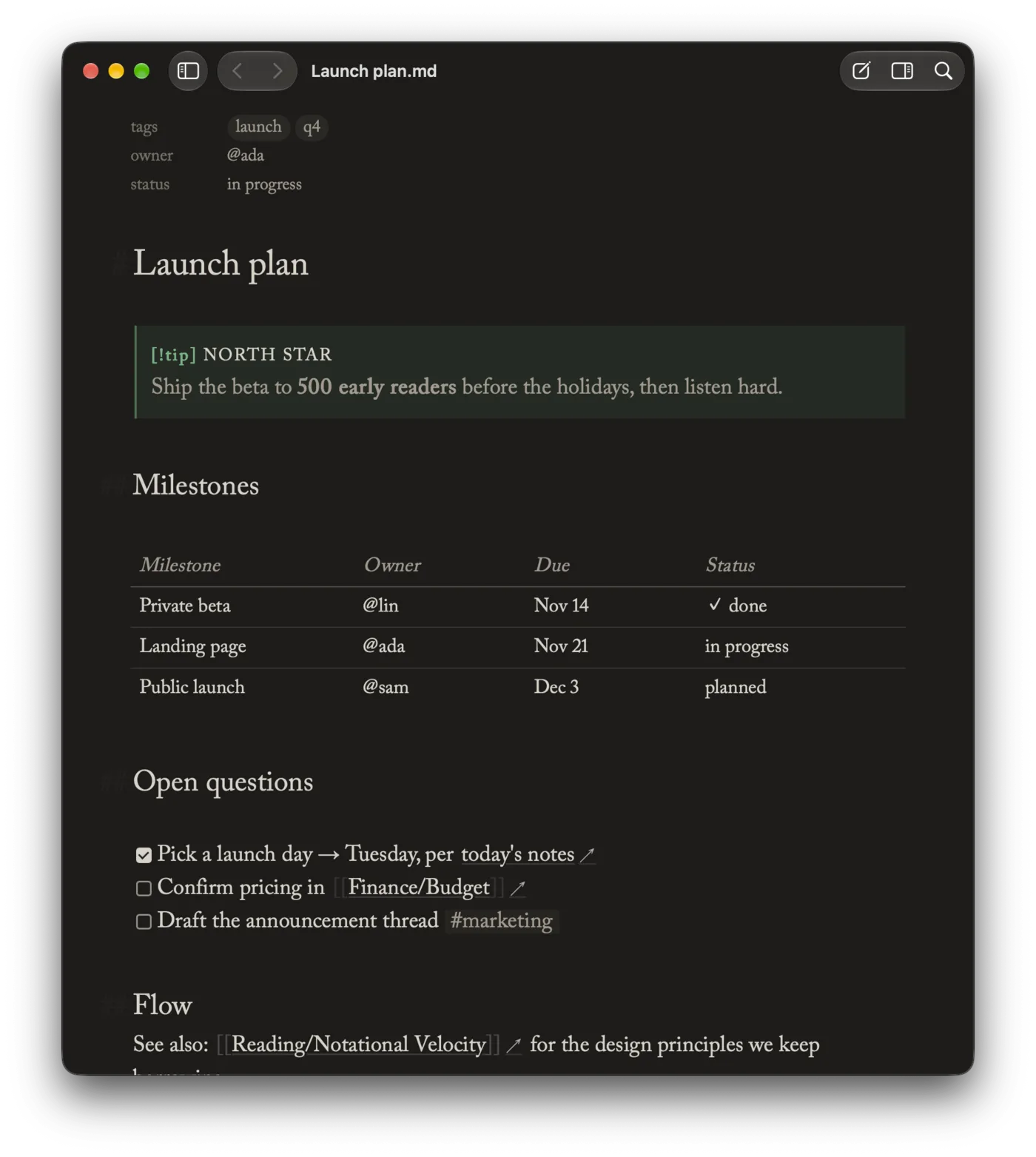
Callouts, editable tables, footnotes, LaTeX, Mermaid diagrams, frontmatter shown as properties, highlights, tags and @mentions.
TODO states from your own #+TODO: line, SCHEDULED and DEADLINE dates, property drawers, structural lists and tables, without Emacs.
Wikilinks to headings and blocks, block references, and transclusions you edit in place. Edits save back to the original note.
A native spreadsheet with formulas, row filtering, status pills, tag chips and wikilinks in cells. Saving keeps your encoding and line endings.
Remembered scroll position, an outline, full-text search, and annotations kept outside the file.
A sandboxed reader with a table of contents and arrow-key paging.
Canvases that open and save in a native tab.
A split or unified comparison of two Markdown files.
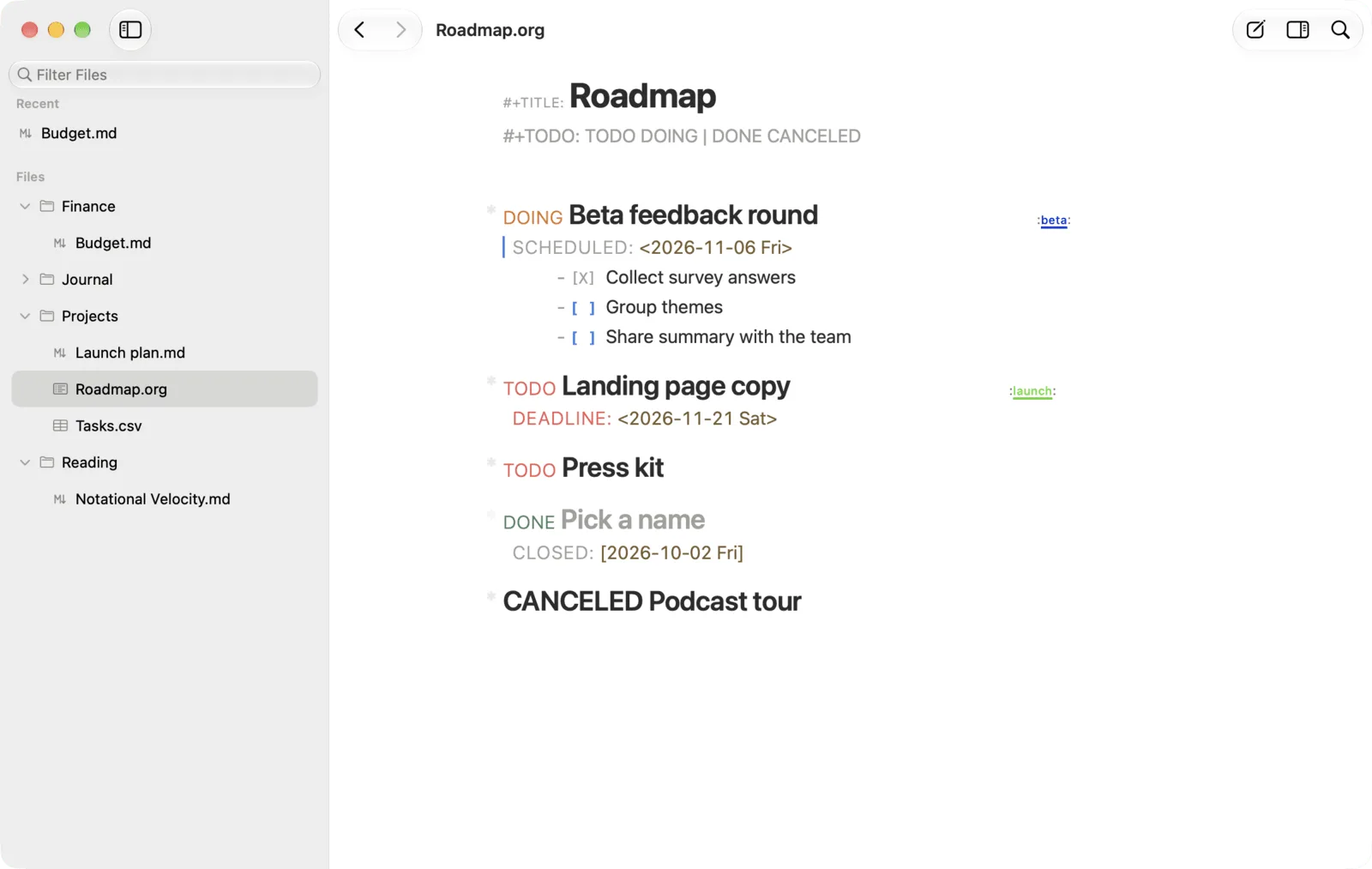
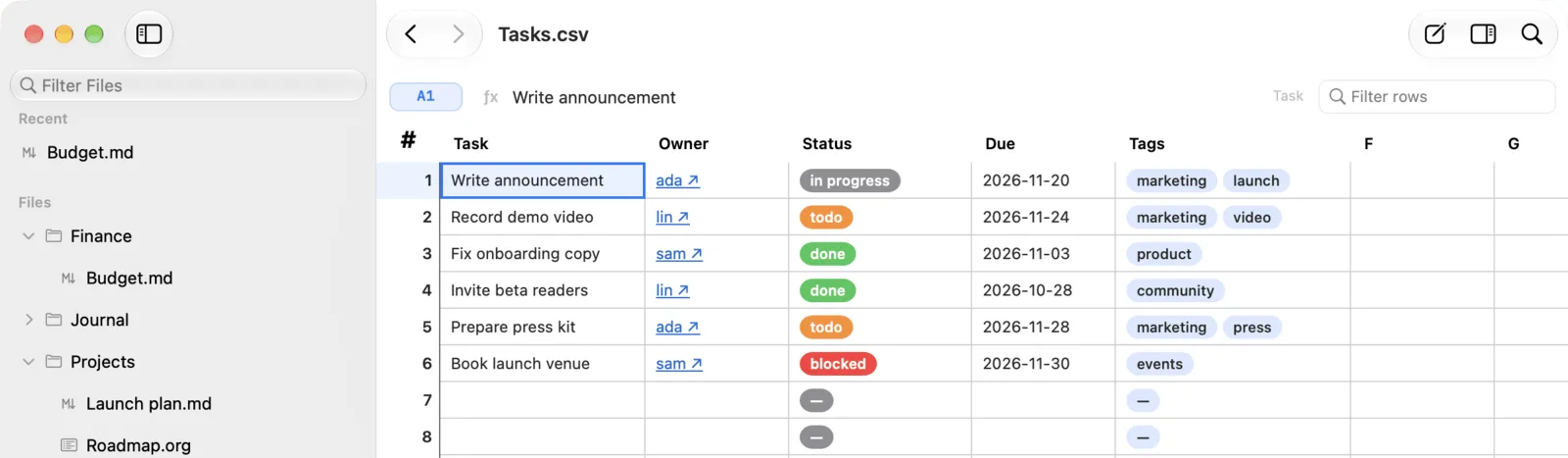
Each theme is a complete typographic design. Pick one for a single document, for a file type or for everything, or write your own in CSS. Hover over a name to see the same note in that theme.
Every command in the palette can be bound to a key in Settings › Shortcuts.
You can use, study, share and change nvModern under the GNU General Public License, version 3 or later. Read what free software means.
Plugins are plain JavaScript files with a typed API. They can add commands, system-wide hotkeys, floating capture panels and their own settings. Bug reports, themes, plugins and pull requests are all welcome.
nvModern is a free, native Mac app for notes and documents. It edits Markdown and Org, runs live maths in your notes, opens CSV, PDF, EPUB and Excalidraw files, and gives your AI agent access through a built-in MCP server. Your work stays in ordinary files in a folder you choose.
A Mac with Apple Silicon and macOS 14 or later. Intel Macs are not supported.
Yes. Point nvModern at the folder in Settings › Workspaces. It reads Markdown, wikilinks, block references and callouts as they are, and it never converts your files into another format.
In the folder you choose, as plain files. Keep that folder in iCloud Drive, Dropbox or a Git repository. nvModern notices changes made on other devices and in other editors and updates what you have open.
Any MCP client, including Claude Code and Codex. With nvModern running, one command connects Claude Code. Agents can read and create notes and edit your selection. Margin notes and answers to your questions are drawn over the document and are never written into the file.
Yes. nvModern is free software under the GNU General Public License, version 3 or later. You can use, study, share and change it. The source, a guide to building it and the full feature list are on GitHub.
Drag nvModern to Applications and choose a folder of notes. Releases are signed and notarized, and they keep themselves up to date.
Version 2.0.0 · Release notes ↗ · Feature list ↗ · Report an issue ↗
nvModern is not affiliated with Apple, Obsidian or Notion.