Apps of their own.
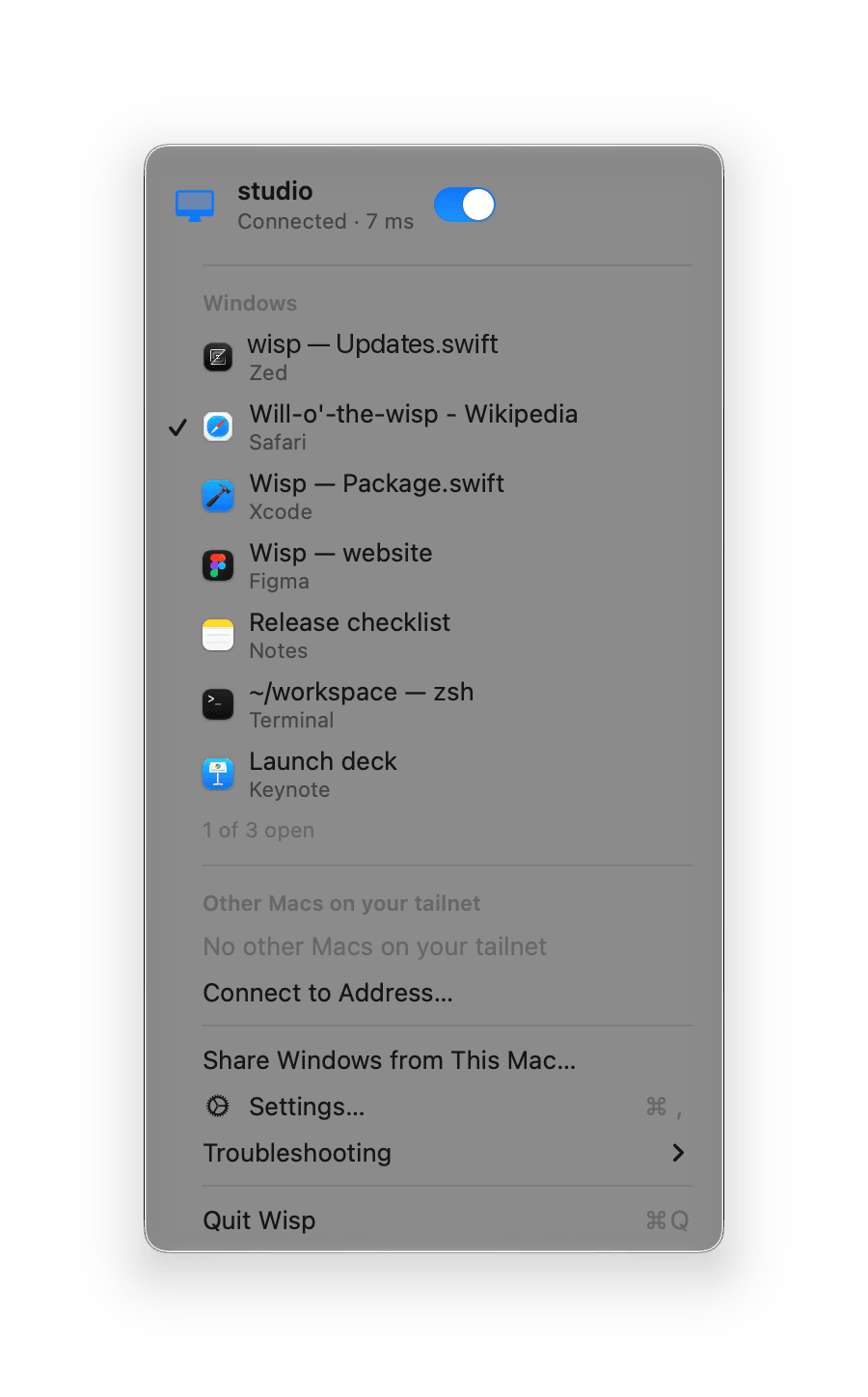
Each remote app gets its own icon in the Dock, with a small teal badge, and a place in ⌘Tab and the Window menu. Keep one in the Dock and it reconnects when you open it.

Wisp is experimental. It relies on a private macOS API and comes with no warranty. Read the risks.
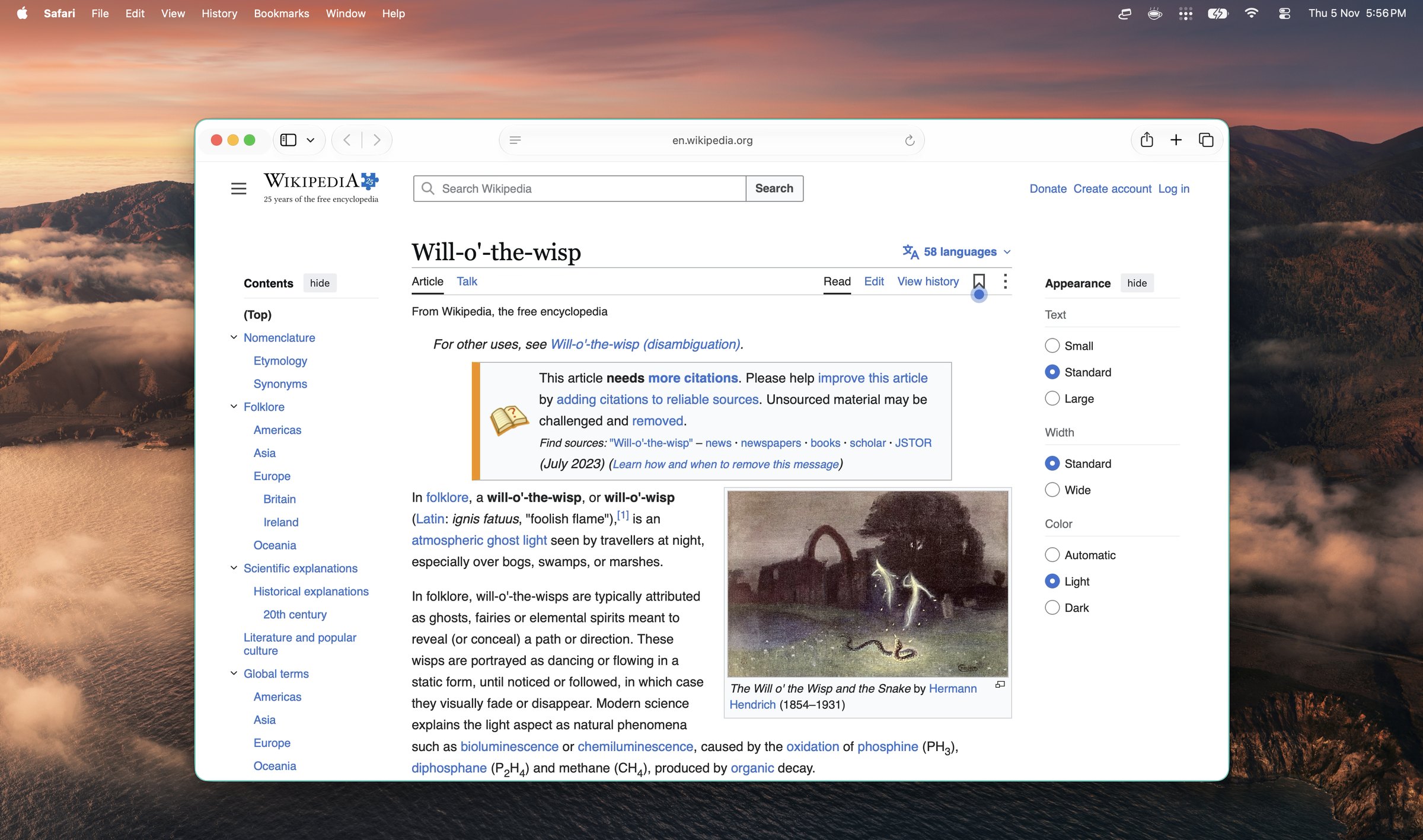
Screen sharing puts another desktop in a window. Wisp sends one window at a time and gives it back the parts of macOS you already use: the Dock, ⌘Tab, the menu bar and the clipboard.
Each remote app gets its own icon in the Dock, with a small teal badge, and a place in ⌘Tab and the Window menu. Keep one in the Dock and it reconnects when you open it.
The remote app’s menu bar is mirrored, with live enabled and checked states. Choosing a menu item chooses it on the other Mac.
Drag the title bar, resize from any edge, go full screen, and the window on the other Mac follows. New windows and dialogs come along by themselves. A thin teal outline marks what is remote.
Typing and shortcuts go to the remote app. ⌘Q and ⌘H quit or hide it here and leave it running there. The red button closes the window on the other Mac; ⌥-click it to just stop viewing.
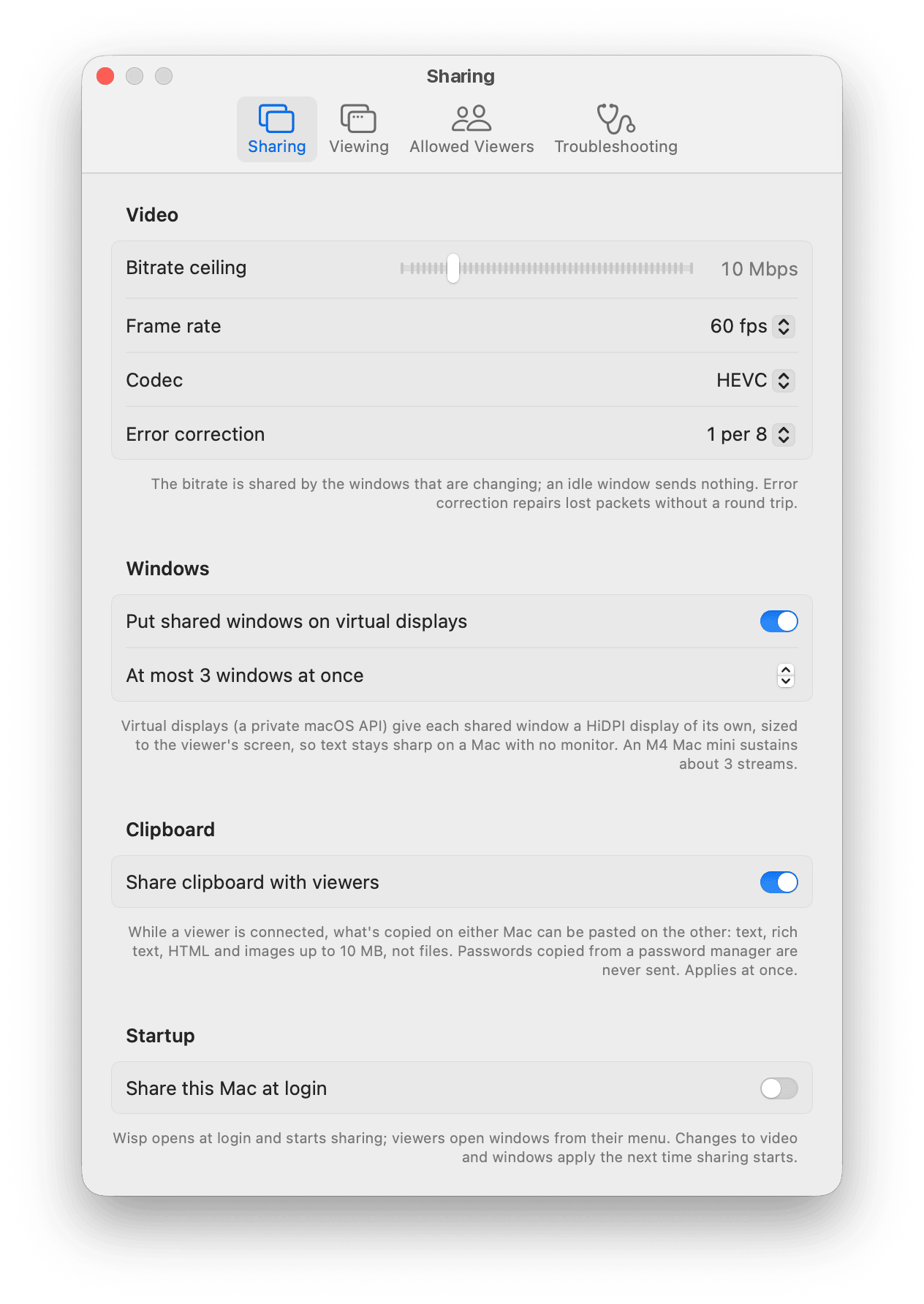
Copy and paste text, rich text and images in both directions. Items a password manager marks as secret are never sent.
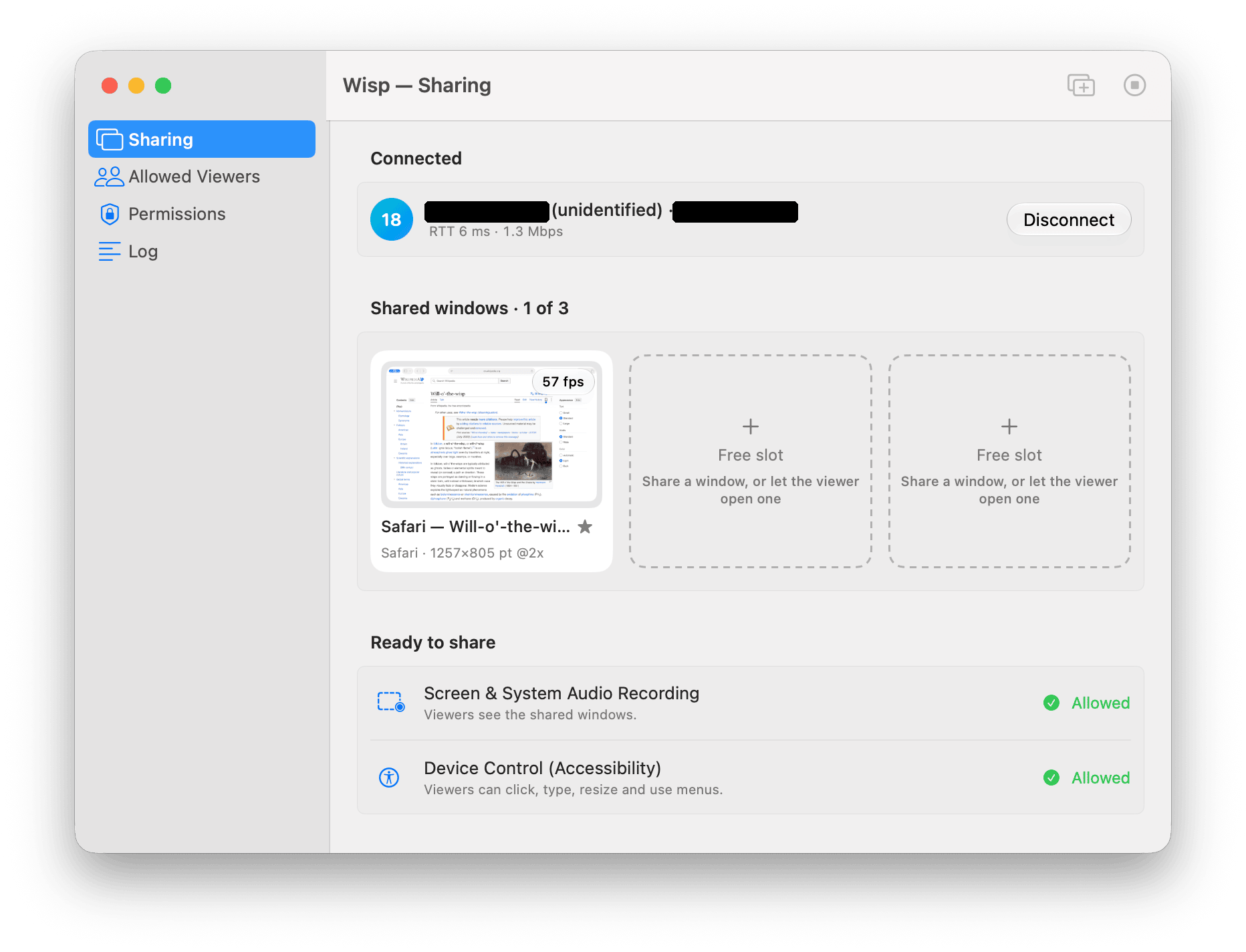
Wisp sends single windows, not the whole screen, and only when something changes, so it stays quick even across continents. Up to three windows at once.
You need two Macs with macOS 14 or later and Tailscale on both, signed in to the same tailnet. That is all: no accounts, passwords, pairing or port forwarding. Tailscale encrypts the connection and tells Wisp who is on the other end.
Download the disk image, open it and drag Wisp to Applications. It lives in the menu bar and keeps itself up to date.
Choose Share Windows from This Mac… in the Wisp menu, then allow Screen Recording, to see windows, and Accessibility, so you can click and type in them.
The other Mac is listed as Sharing. Choose it, then choose a window. It opens as a window of its own app.
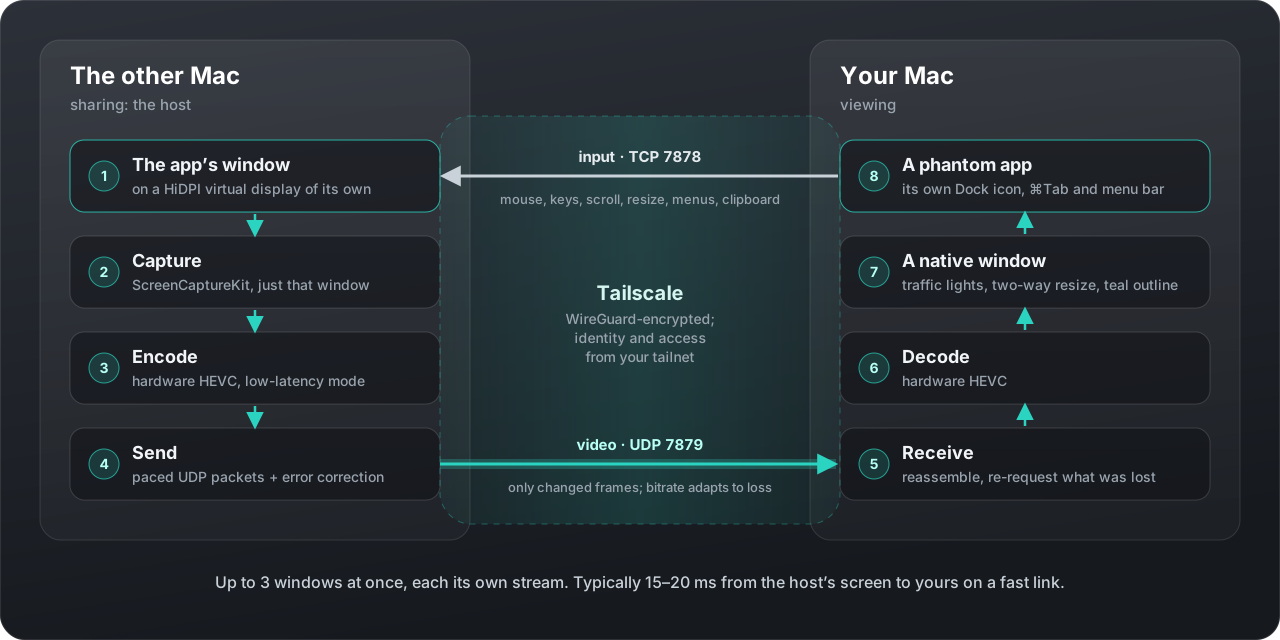
Each shared window moves onto a HiDPI virtual display of its own, sized to your screen, so text is sharp, windows never overlap, and a Mac without a monitor works too.
Frames are encoded in hardware and sent only when something changes, with forward error correction and selective resends, so a lost packet rarely costs a frame.
A small generated app owns each remote app’s windows. That is what makes the Dock, ⌘Tab, Mission Control and the menu bar treat it as a real app.
The design, the protocol and the measurements behind them are in the repository. Read the design notes ↗
Wisp gives the other Mac’s windows to whoever connects. Read this before you turn sharing on.
To narrow access with Tailscale itself, see Tailscale ACLs ↗.
Whoever connects can control the shared windows, a Terminal window included. List the people allowed under Settings › Allowed Viewers, or limit TCP 7878 and UDP 7879 with Tailscale ACLs. Connections from outside Tailscale are refused.
While you are connected, copied text and images are shared. Turn it off in Settings on either Mac if that matters.
The virtual displays use Apple’s undocumented CGVirtualDisplay, which a macOS update can break. An early version once hung the host’s window server and logged everyone out. That is fixed, but there are no guarantees.
Wisp checks the GitHub releases once a day and verifies each update with an EdDSA signature as well as Apple’s notarization. You can turn the check off in Settings › Troubleshooting.
You can use, study, share and change Wisp under the terms of the GNU General Public License, version 3 or later. Read what free software means.
It comes with no warranty and no support. If it doesn’t do what you need, change it: the repository explains how to build, test and release it, and includes a map of the code for you and your coding agent.
Wisp is a Mac app that brings single windows from another Mac to yours over Tailscale. Each remote app shows up as an app of its own, with a Dock icon, a place in ⌘Tab, its menus in the menu bar and native windows you move, resize and type into.
Two Macs with macOS 14 or later, and Tailscale on both, signed in to the same tailnet. There are no accounts, passwords, pairing or port forwarding: Tailscale encrypts the connection and tells Wisp who is on the other end.
No. Each shared window is moved onto a virtual display of its own, so a Mac without a monitor works. It must be unlocked with its user session on screen, because while it is locked, input goes to the lock screen. Wisp keeps it from idling into the lock while you are connected.
One viewer per host and up to three windows at once, the hardware encoder limit on an M4 Mac mini. There is no audio and no copy and paste of files. System prompts on the host, such as permission requests and AutoFill, have to be answered there.
Choose Troubleshooting › Copy Diagnostics in the Wisp menu and paste the report into an issue on GitHub. It lists versions, permissions, settings and the end of the log, with other people’s logins replaced by a hash. Wisp is provided as is, with no warranty and no support.
Yes. Wisp is free software under the GNU General Public License, version 3 or later. You can use, study, share and change it. The source, a guide to building it and a map of the code for you and your coding agent are on GitHub.
Install it on the Mac with the apps and on the Mac you sit at. It keeps itself up to date.
Wisp is not affiliated with Apple or Tailscale.